The Dashboard
Dashboard Access
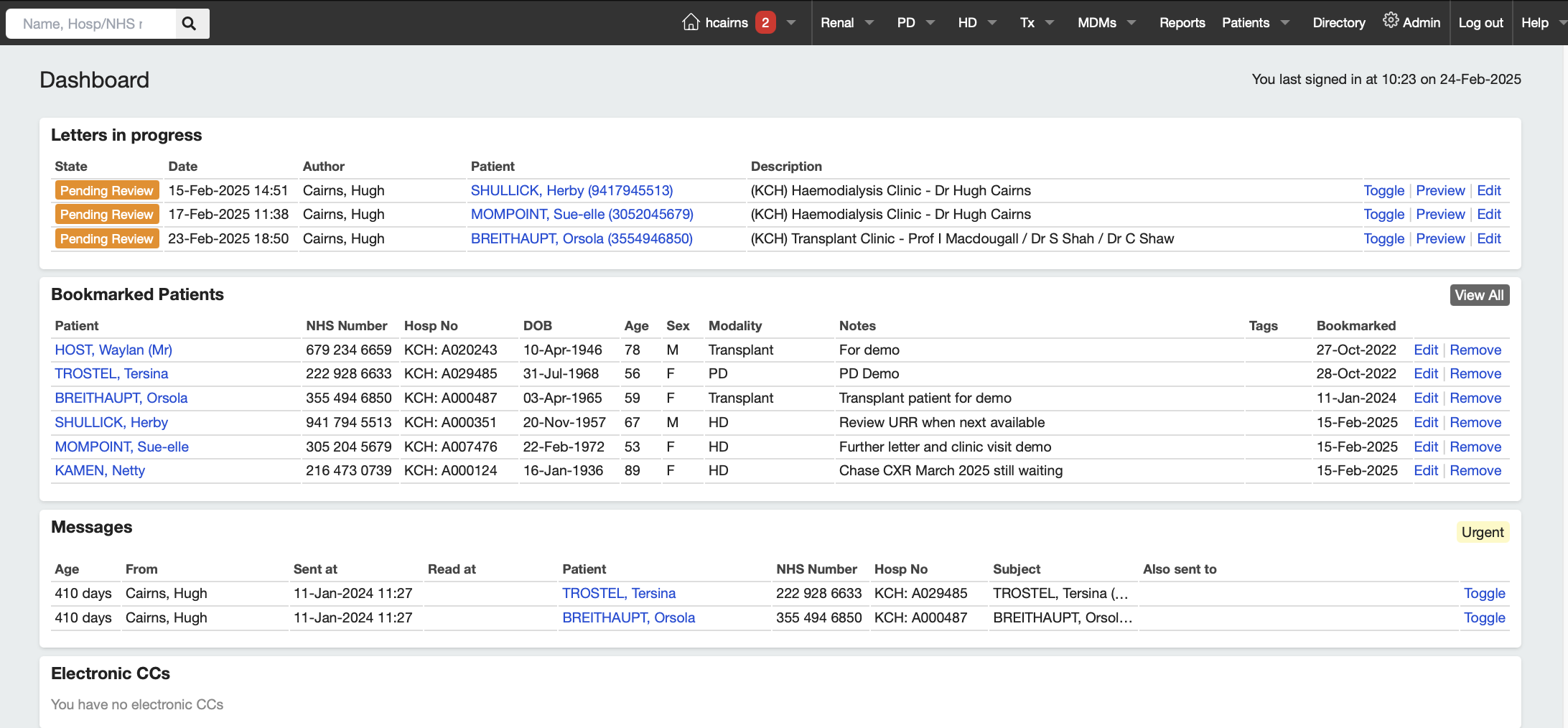
Whenever you login to Renalware, the system will display your own Dashboard. This lists outstanding letters, bookmarked patients, any patient messages sent to you by other users and any Renalware letters which have been electronically copied to you.
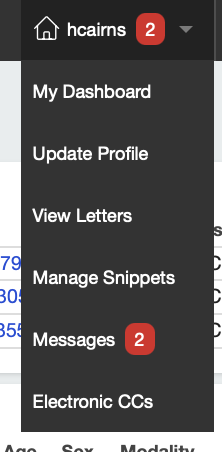
The dashboard can be accessed at any time by clicking on one’s username in the main menubar. This displays various User options as follows:
Dashboard Letters
Letters you have as author or typist which are in draft or awaiting review will appear on your dashboard. Once letters are completed and signed off (Archived), they will disappear from your dashboard. Archived letters are visible through the Letters section so secretaries can use this to print off completed letters (individually or as a batch print). Once printed the letters are marked as Completed.
Bookmarks
Bookmarks are a way of creating a list of patients for your personal use with notes to highlight outstanding jobs, awaited results or other issues as you wish. Bookmarks are only for the individual user (staff member) and cannot be seen by other application users.
From the Dashboard, you can remove the bookmark from any patient (so mark as Completed) so patient bookmark will disappear from the list. To mark patients for all users (e.g. a team may want to mark patients for all to review), the Worryboard functionality is used.
Messaging System
It is possible to message other Renalware users about individual patients and these messages will appear on that user’s Dashboard until they mark the message as Read. Messages are also displayed on the individual patient’s Clinical Summary screen and in the Timeline.
Messages that have been marked as Read can be viewed again by going to the User’s Messages screen where they are all archived.
Electronic CCs (eCCs)
Renalware letters can be copied electronically to any Renalware user and these letters appear on the user’s Dashboard. They can be signed off as Read when they will disappear from the Dashboard.