Letters for Printing
Although Letters in Draft and Awaiting Review can be printed to create a hard copy, Printing an Archived Letter changes the Letter status to Completed to indicate that the letter requires no further action. Archived letters awaiting printing can be found in Letters under the Renal function in the top menu bar. This list can be filtered to find letters in a particular state (for printing usually will be Archived (Ready to Print) and letters can be batched printed and also Envelope Printed if using a Envelope Stuffer.
The system will calculate the number of copies of a letter required; for example, if the letter has been emailed to the GP and is only being sent to the patient, a single copy will be required whereas another letter may not have been emailed to the GP surgery and also have 2 CCs so will require 4 copies.
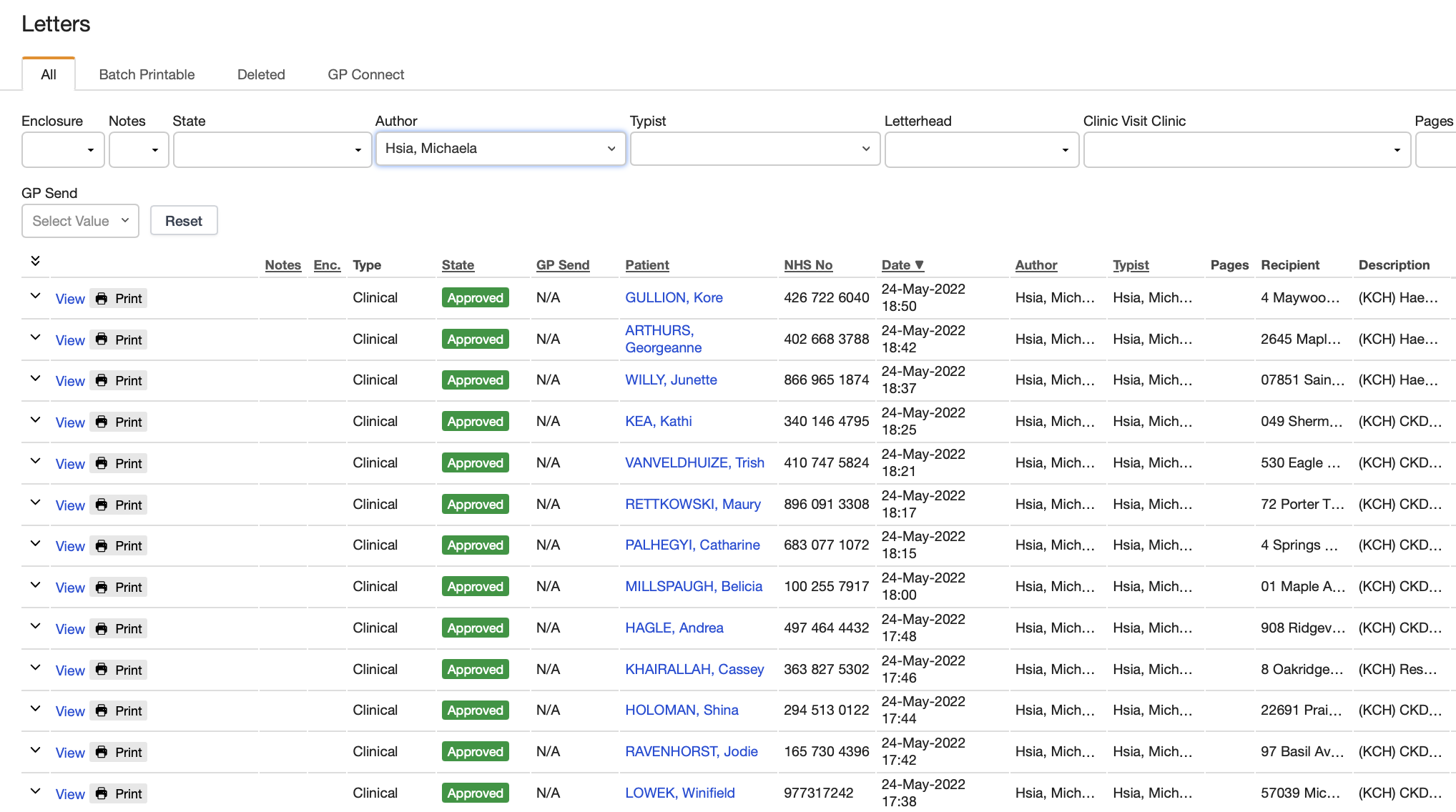
From the Letters list one can view, print, and mark as printed (these options depend upon a letter’s current status). The following screenshot displays the options for a letter marked APPROVED.
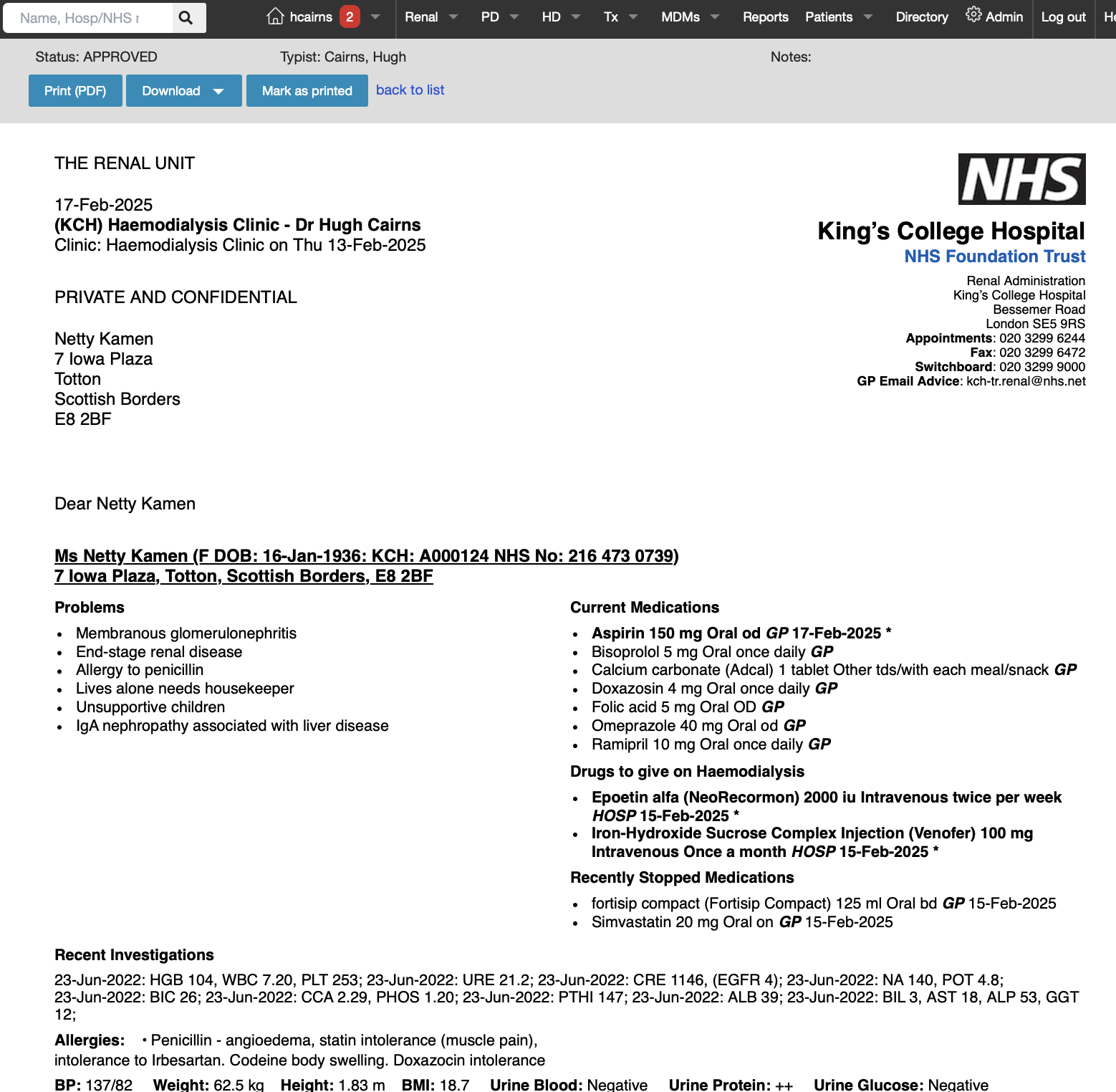
Note that the Download option at top allows the user to download a copy of the letter in either PDF or RTF format.
Ideally at the end of each day, all Archived letters will have been printed to ensure that letters are received by all recipients as quickly as possible. The database can calculate the time from Clinic Visit or Letter Creation to Completion by patient or clinic type, author or typist, and some hospitals may perform routine audits using these data.