Clinical Summary
The Clinical Summary screen provides critical patient information in a single view with data collated from across the database system. Its various components are described here.
Whenever a patient is selected, clicking on the patient’s name takes one to the Clinical Summary screen. This is designed to display a range of useful information for clinicians. At the top, basic demographic information and the patient’s current Modality are shown. Below that is a bar which shows a selection of the most recent blood results and clinic observations. Any Alerts about the patient and any Clinical Studies for which they have been recruited are also displayed in this area.
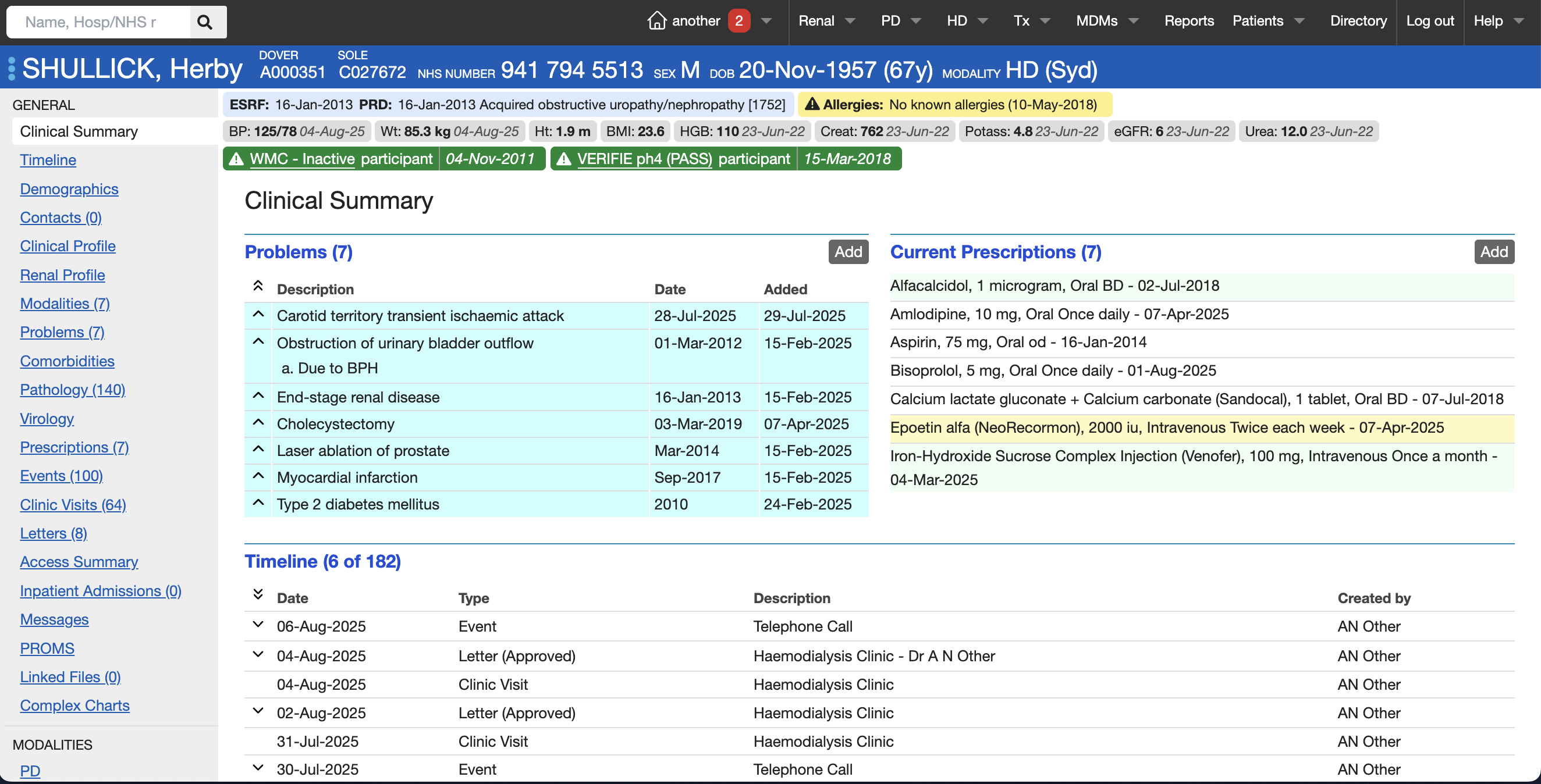
Following that, the Clinical Summary presents various portals of the most recent patient information:
- Problems
- Current Prescriptions
- Timeline of key recent patient events (e.g. Letters, Events, Clinic Visits, Messages)
- Letters
- Events
- Admissions
- Consults
- Messages
These various features are discussed in detail in the other sections of the User Guide.