Peritoneal Dialysis (PD)
- PD Summary Screen
- PD Regime data
- PD Peritonitis and Exit Site Infections
- PD Assessment and PD Training
- PET and Adequacy
PD Summary Screen
The PD screens are accessed through the Left Gutter. Many of the screens for PD can only be created if the patient has a Modality of PD. The main PD Summary screen displays the patient’s current regime and any historical APD/CAPD regimes.
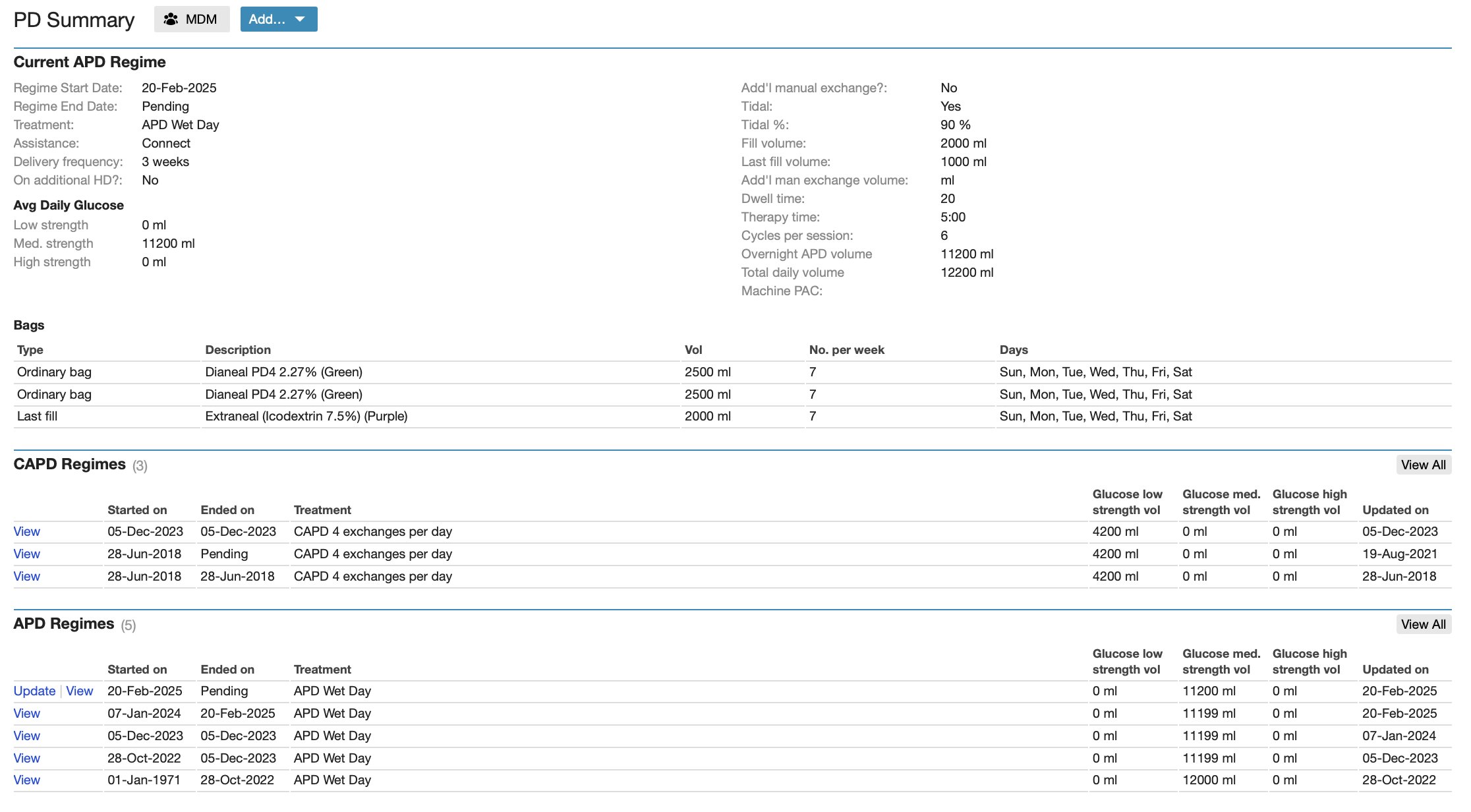
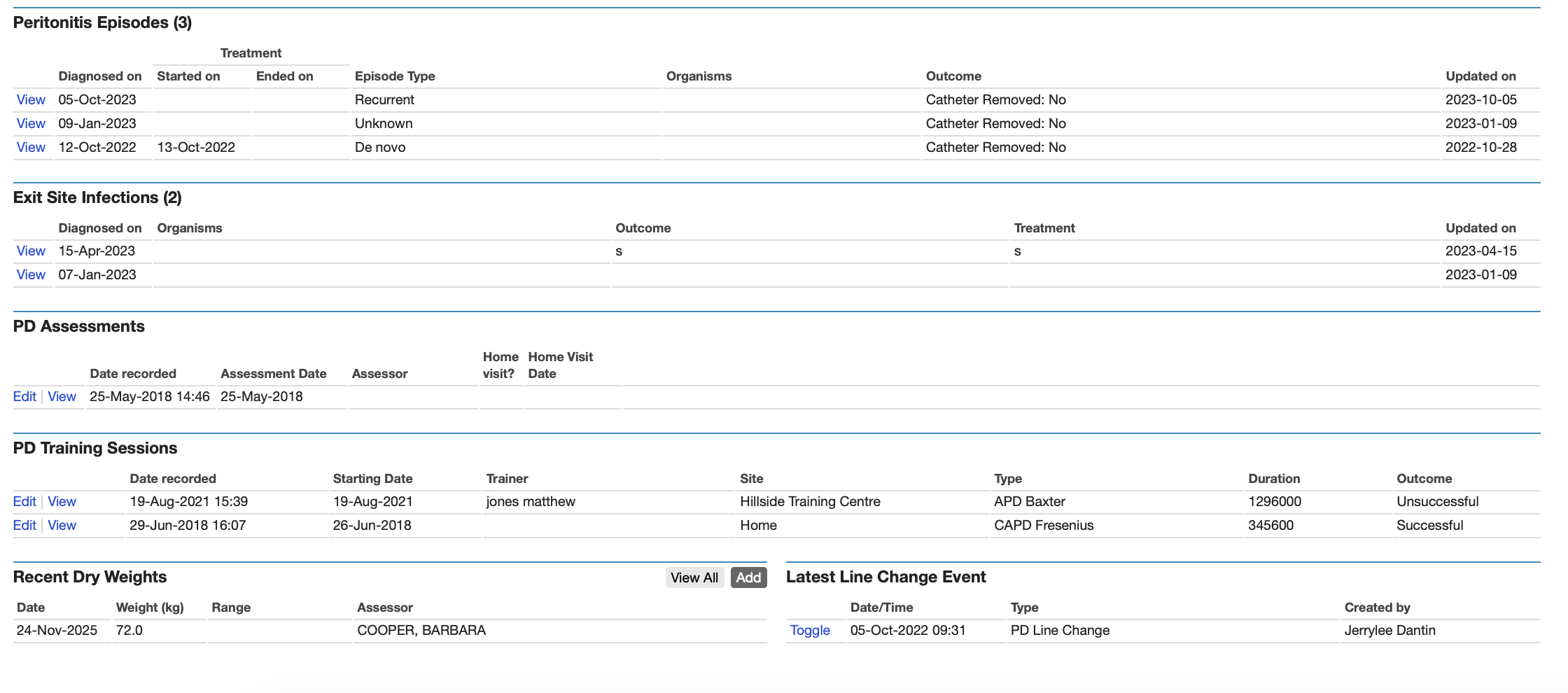
The PD Summary also includes information about any Peritonitis Episodes, Exit Site Infections, Assessments, Training Sessions, and Dry Weights:
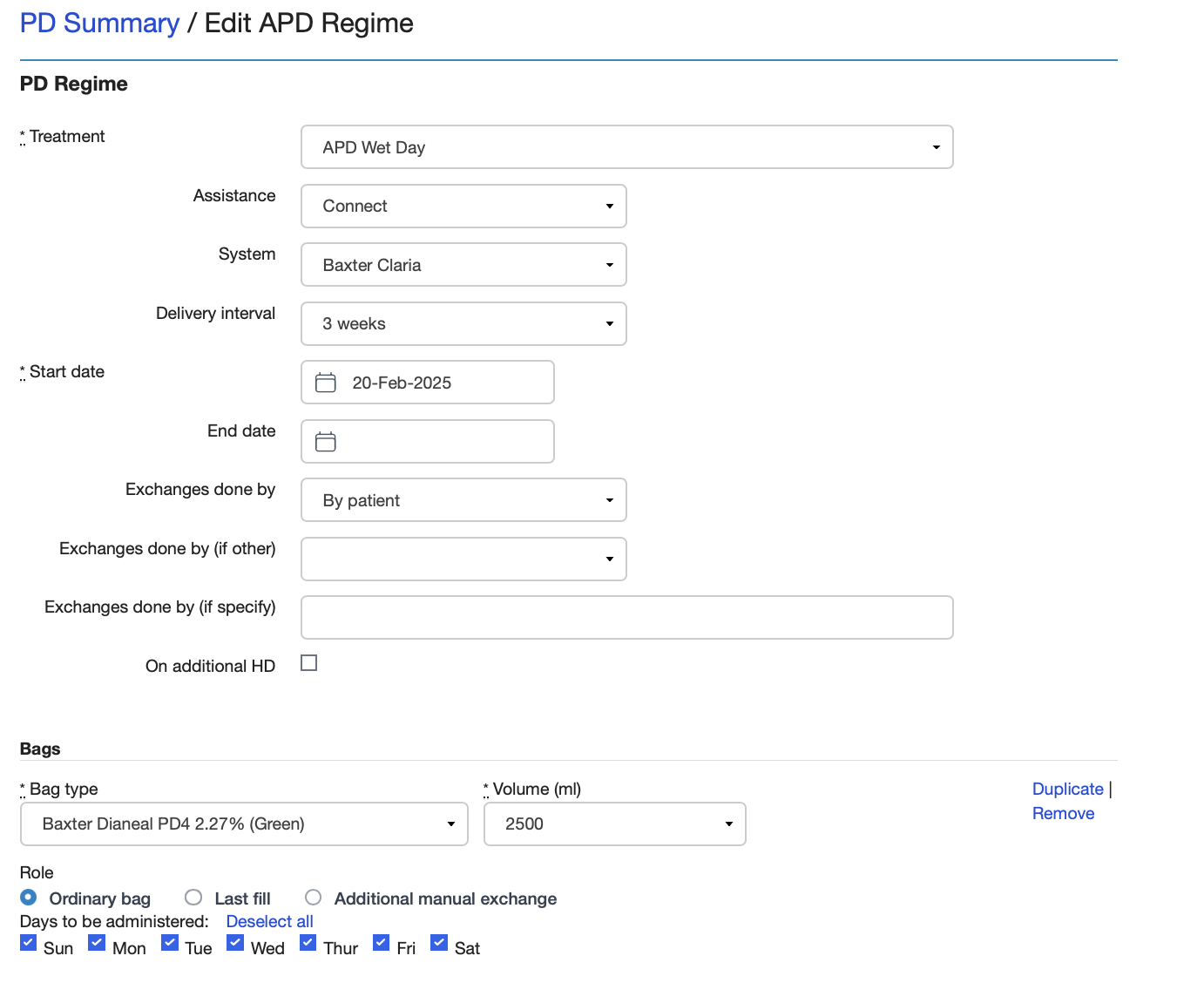
PD Regime data
For patients starting PD, the PD regime type must be selected (CAPD or APD) and then the data entered for the particular PD regime. As you can see, this covers the type of PD (e.g. APD Wet Day, APD Wet Day Assisted, CAPD with number of exchanges and whether Assisted or not) and then the details about the PD fluid used, the volumes, tidal or not, last fill, additional manual exchanges and whether has additional HD. The Start Date for each PD regime will also be the End Date for any previous PD regime if the patient has one. For the Last Fill for an APD regime it is important that the bag is entered as a Last Fill so the system knows which fluid is being used as the Last Fill.
Once a patient has an APD or CAPD regime, this can be changed and the current regime is available as a baseline so many adjustments to a PD regime may be very easy to enter. For example, if a CAPD patient is being changed from 4 bags to 5 bags per day with just an additional bag, only the additional bag needs to be entered.
PD Peritonitis and Exit Site Infections
PD peritonitis data and exit site infection data can be entered and then subsequently edited as new information becomes available. It is important that the type of PD peritonitis (e.g. De Novo, Recurrent, Relapsing) be recorded as this is used for audit and also the Quarterly Quality Indicators return.
PD Assessment and PD Training
Prior to starting PD, information about the suitability of a patient for PD can be recorded using the PD Assessment screen. Information about PD training can also be recorded using the PD Training screen.
PET and Adequacy
Biochemistry results for the PET and Adequacy tests can be entered and the PET and Adequacy values are then calculated.